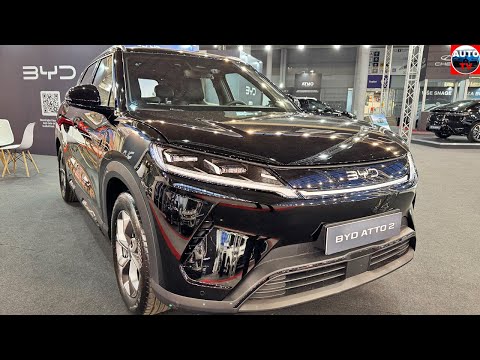
BYD Atto 2 – How to Enable Auto Fold Side Mirror
In this video I show how to enable automatic folding side mirrors on your BYD Atto 2 DM-i. You'll find the setting by tapping Settings at the bottom of the home screen, navigating to Drive → Comfort Driving, and toggling Automatic Folding Side Mirrors ON in the side mirror section so that both wing mirrors fold when you lock the car and unfold when you unlock or start it. I also explain that you should switch this off in freezing winter conditions to prevent the folding motors from fighting against ice buildup. How to enable auto fold side mirror on BYD Atto 2? Where is automatic folding mirror setting in BYD Atto 2? When should you turn off auto folding mirrors on BYD Atto 2? 0:00 Intro - enabling auto-folding mirrors on BYD Atto 2 DM-i 0:59 Winter usage tip - keeping mirrors unfolded in cold weather 1:04 Wrap up - like and subscribe #BYD #Atto2 #AutoFoldMirror #CarTips Find out more: https://www.hardreset.info/devices/byd/byd-atto-2-dm-i/ Follow us on Instagram ► https://www.instagram.com/hardreset.info Like us on Facebook ► https://www.facebook.com/hardresetinfo/ Tweet us on Twitter ► https://twitter.com/HardResetI Support us on TikTok ► https://www.tiktok.com/@hardreset.info Use Reset Guides for many popular Apps ► https://www.hardreset.info/apps/apps/
About BYD Atto 2
The BYD Atto 2 is a subcompact SUV (B-segment) manufactured by BYD Auto since 2024. First sold in China as a battery electric vehicle called the BYD Yuan Up (Chinese: 比亚迪元UP) and part of the BYD Yuan series that is named after the Yuan dynasty, the Atto 2 was introduced in February 2024 and entered production in March 2024. In September 2024, the car went on sale in the first export markets, starting with South America under the name BYD Yuan Pro (except in Colombia, where it retains its origina...
More about BYD Atto 2→Added
Know someone who'd love this clip?
Share it with friends and fellow fans.