0 views
Share this clip
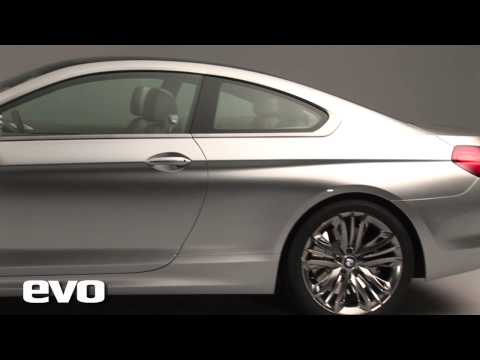
How to Install APPLE CARPLAY in BMW 6 Series 2009, 2010, 2011, 2012, 2013
Know someone who'd love this clip?
Share it with friends and fellow fans.
Share this clip
Know someone who'd love this clip?
Share it with friends and fellow fans.
⚡Upgrade Your Drive & Save! Get $25 OFF your entire order with exclusive YouTube code: YOUTUBE25 Shop here: https://unavi-usa.com/pages/unavi-limited-time-deals?utm_source=youtube&utm_medium=social&utm_campaign=sale&utm_content=bmw_6 Limited-time offer for our YouTube community. [Disclaimer] Installation fees and parts excluded. [ATTENTION CUSTOMERS] These installation videos are intended for promotional use only. Please refer to the documentation included in the kit instead. For BMW 6 Series 2009, 2010, 2011, 2012, 2013 Installed in 2013 BMW 640i How to Install UNAVI Wireless Apple CarPlay / Android Auto UNAVI SKU being installed: ZSTAWBM10B 00:05 Remove lower cluster panel cover 00:34 Remove air vent panel 01:47 Remove lower radio panel cover 02:17 Remove radio panel 03:34 Pull out radio unit and disconnect harness and LVDS 04:59 Disconnect the fiber optical cable 05:28 Connect the CarPlay Main Harness (and fiber optical cable if equipped) 06:46 Connect both LVDS cable radio unit and OEM LVDS connector 09:42 Find a place for CarPlay module Remove passenger side trim panel 10:19 Connect LVDS IN and LVDS OUT into CarPlay module 10:57 CarPlay CAN cable connections - B to D 11:33 CarPlay CAN connections - C to L 12:23 Connect AV USB cable to CarPlay module and route USB cable 12:49 Splice the ground wires together 13:54 Connect external microphone and mount it inside car 14:37 Connect Wi-Fi antenna to CarPlay module and mount it 16:07 Set the dip switches and prepare iDrive cable and AUX cable 16:27 Prepare to remove iDrive control panel 18:33 Loosen two drive side center console panels and shifter panel and remove two iDrive panels screws 18:46 Remove two iDrive panel screws on passenger side 19:00 Loosen iDrive panel 19:56 Route iDrive cable and aux cable 20:18 Connect AUX cable to OEM AUX port in armrest compartment 20:48 Connect iDrive cable to iDrive controller 21:46 Testing CarPlay functions For reference purposes only. Please seek professional installation consultation for additional information. For questions about installation, please text 714-643-5704 (text-only line). Looking for an OEM integrated Apple CarPlay upgrade? Our aftermarket CarPlay installation offers a seamless install that adds CarPlay to your factory screen with a clean, factory look. We provide wireless CarPlay modules and OEM-style retrofits for a smooth, professional experience that feels truly built-in. Visit www.unavi-usa.com for more information about adding and purchasing Android Auto / Apple CarPlay for your vehicle
The BMW 6 Series is a range of grand tourers produced by BMW since 1976. It is the successor to the E9 Coupé and is currently in its fourth generation. The first generation BMW E24 6 Series was available solely as a two-door coupé and produced from 1976 to 1989, when it was supplanted by the larger BMW 8 Series (E31). When the 6 Series nameplate was revived in 2004 for the second generation, the BMW E63/E64 6 Series, the coupé was joined by a convertible body style. The third generation F06/F12/...
More about BMW 6 Series→Added
 2:01
2:01Automobile
 0:12
0:12BMW Z8
 0:35
0:35BMW Z8
 0:45
0:45BMW Z8
 11:41
11:41BMW 6 Series, Grand tourer, Coupe, BMW, video, Car, vide, video i
 1:52
1:52BMW 6 Series, Coupe, BMW, Car
 1:50
1:50BMW 6 Series, GAZ, Coupe, BMW, Car
 7:03
7:03BMW 6 Series, Automobile, Coupe, BMW, video, WiLL, Car, Vehicle, vide